Read the video transcript
- Work one market at a time.
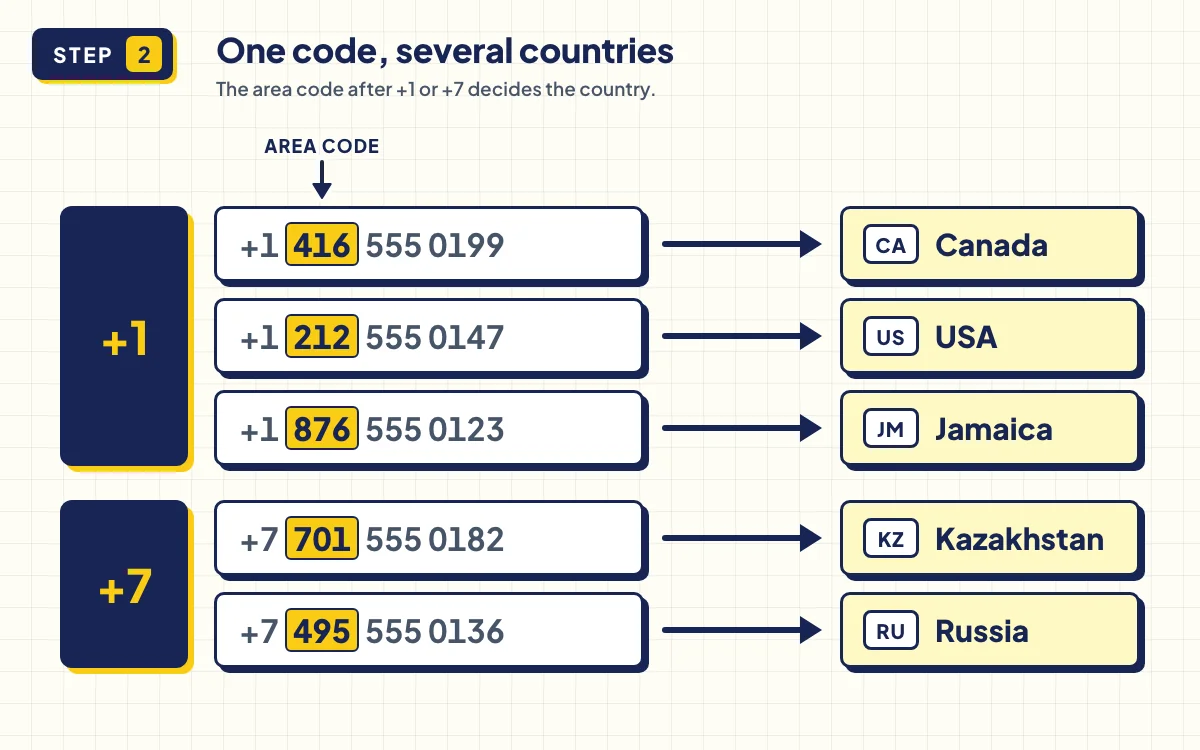
- A Toronto number shouldn't land under the USA. The area code decides the country.
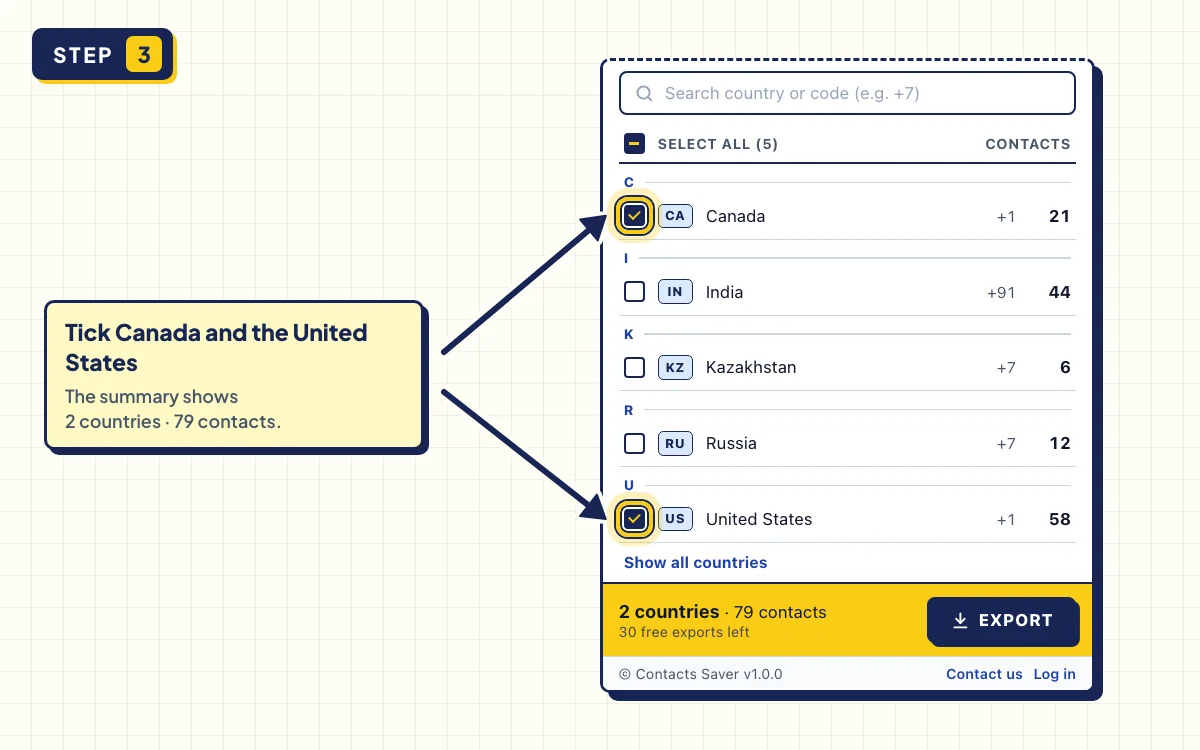
- Type a country name, or a dial code like plus seven.
- Contacts Saver. Free on the Chrome Web Store.
Sales teams often work one market at a time: only UAE buyers, only Indian suppliers, only US leads. This guide shows how to export WhatsApp contacts by country with the COUNTRIES tab in Contacts Saver, so you don't have to sort thousands of numbers by hand.
The tricky part is shared codes. +1 is used by the USA, Canada and many Caribbean countries, and +7 by Russia and Kazakhstan. Contacts Saver checks the area code too, so a Toronto number isn't filed under the USA.
What you need
- A computer with Chrome or Edge, with WhatsApp Web logged in
- The free Contacts Saver extension
Step-by-step instructions
- 1
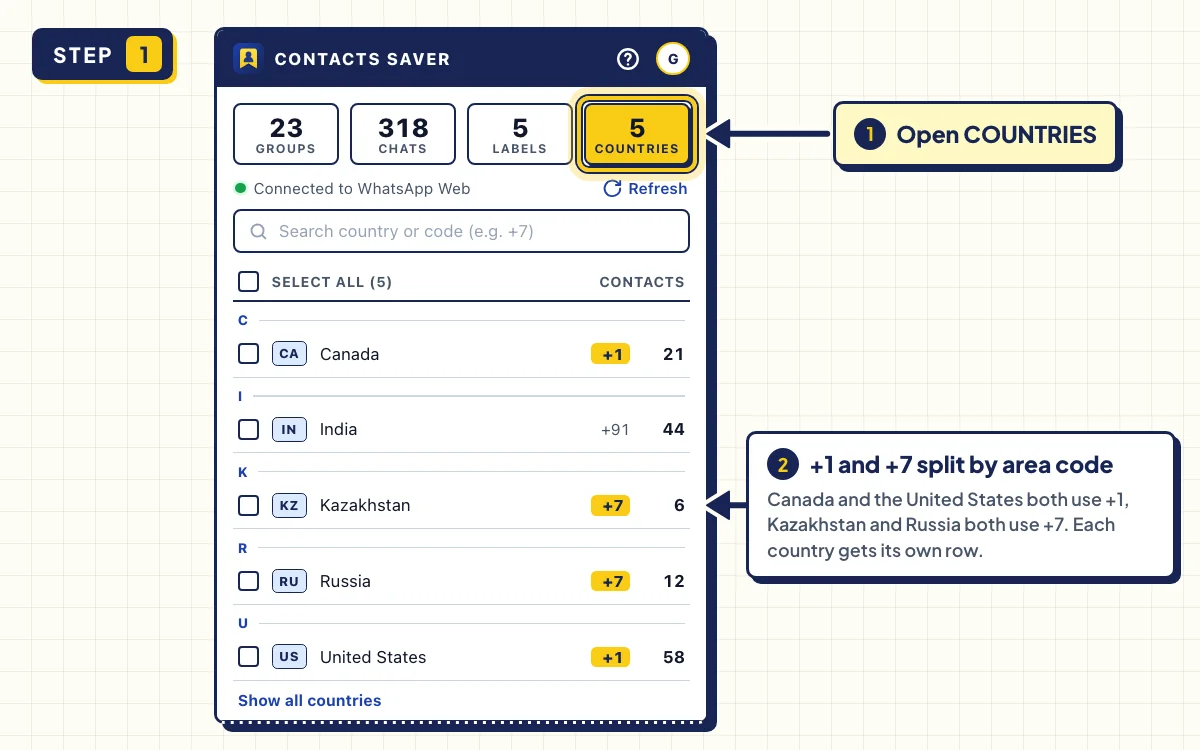
Open the COUNTRIES tab
Open WhatsApp Web, click the Contacts Saver icon and go to COUNTRIES. Each country shows its dial code and how many of your WhatsApp contacts are from there.
Countries without contacts are hidden. Click Show all countries to see the full list.
- 2
Check how +1 and +7 are split
Countries that share a code are listed separately. Contacts Saver matches the longest dial code first, then reads the area code that follows.
For example, +1 416 is Canada, +1 212 is the USA and +1 876 is Jamaica. +7 701 is Kazakhstan and +7 495 is Russia.
- 3
Tick the countries you need
Tick one or more countries. To find them fast, type a name or code in Search country or code (e.g. +7). Searching +7 shows both Russia and Kazakhstan, each with its own count.
The bar at the bottom shows how many countries and contacts you picked.
- 4
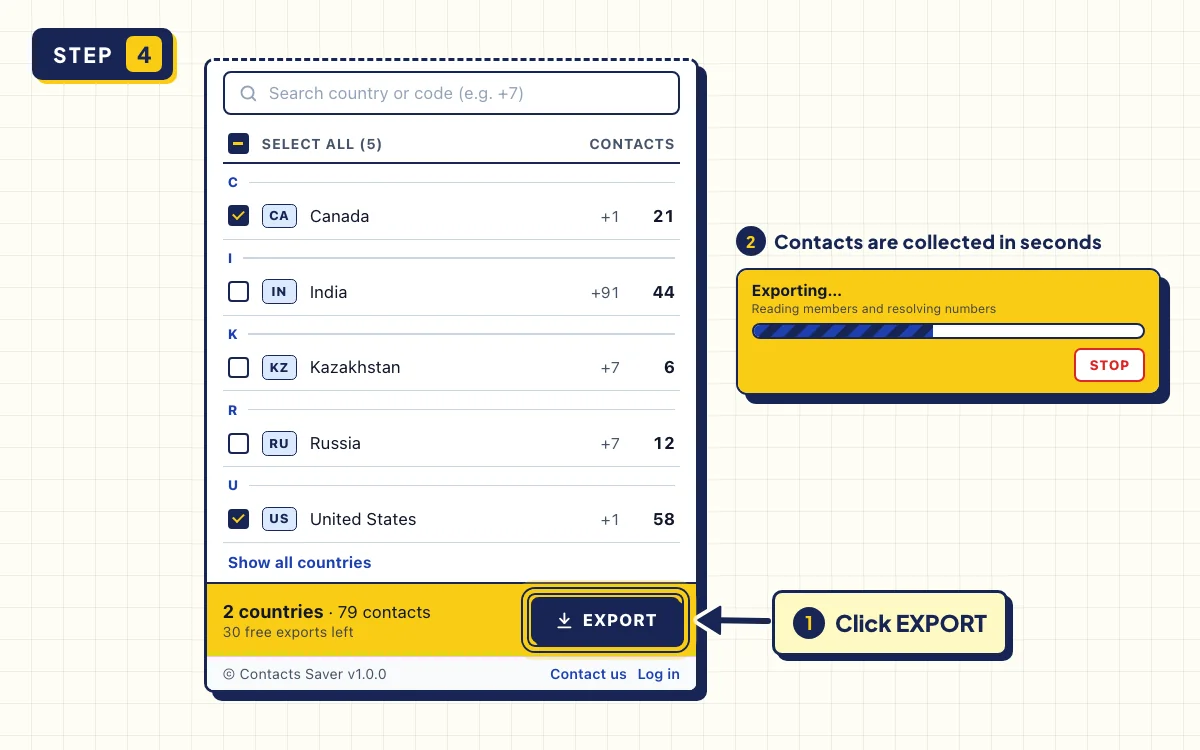
Click EXPORT
Click EXPORT. Contacts Saver builds one row per phone number, with the Country Code and Country Name filled in. You can click STOP at any time and keep what was collected so far.
- 5
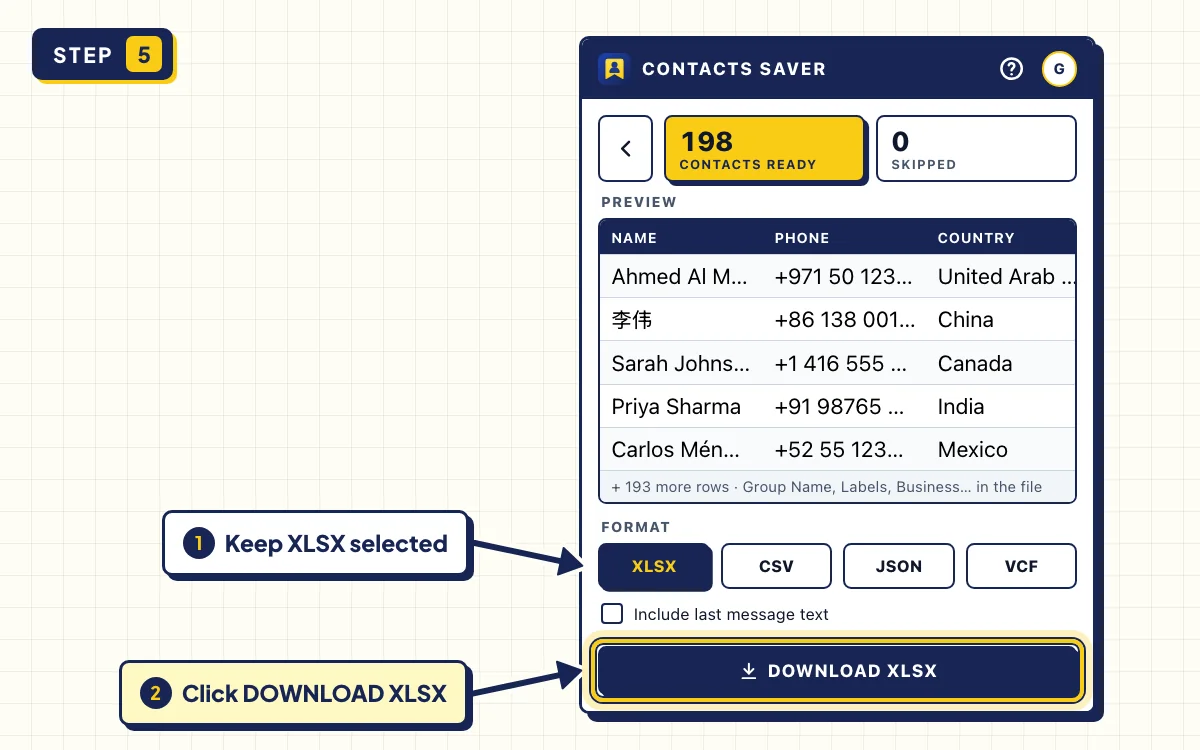
Download the file
When CONTACTS READY appears, pick a format under FORMAT: XLSX for Excel, CSV for a CRM or VCF for your phone. Then click the download button, for example DOWNLOAD XLSX.
How country detection works
Every WhatsApp number starts with a country code of one to three digits. Contacts Saver takes the longest code that matches, so +1 868 goes to Trinidad and Tobago, not the USA. When a code is shared, it checks the area code next.
| Number starts with | Country |
|---|---|
| +1 416, +1 604, +1 514 and other Canadian area codes | Canada |
| +1 876 or +1 658 | Jamaica |
| +1 787 or +1 939 | Puerto Rico |
| +1 809, +1 829 or +1 849 | Dominican Republic |
| +1 242, +1 246, +1 868 and other island codes | Bahamas, Barbados, Trinidad and Tobago and others |
| Any other +1 number | United States |
| +7 6… or +7 7…, like +7 701 | Kazakhstan |
| Any other +7 number | Russia |
Tips to export WhatsApp contacts by country
- Need group members from one country only? Export the group on the GROUPS tab, then filter the Country Name column. See the group export guide.
- Search +1 to see every country that shares it, then tick the ones you want.
- Tick several countries at once to build a regional list, for example the UAE, Saudi Arabia and Qatar.
Troubleshooting
- A country is missing. It has no contacts yet, so it's hidden. Click Show all countries, or search for it.
- Counts look too low. WhatsApp may still be syncing. Wait for your chats to load, then click Refresh to count again.
- Hidden numbers. On the other tabs, people whose number WhatsApp hides are counted as SKIPPED. Here they can't be matched to a country, so they aren't in any count.
- A long export. Keep the popup open. STOP keeps everything collected so far.
Export one market at a time
Install Contacts Saver for free. 30 full exports in every format, and your contacts stay in your browser.
Frequently asked questions
How are +1 numbers split between the USA and Canada?
By area code. Canadian codes such as 416, 604 and 514 go to Canada, and Jamaica, Puerto Rico and the Dominican Republic are matched the same way. Any +1 number that matches no other country goes to the USA.
Can I extract WhatsApp numbers by country code from one group?
Not on the COUNTRIES tab, which covers your WhatsApp contacts as a whole. Export the group on the GROUPS tab instead and filter the Country Name column in Excel.
Does it work for every country?
Yes. Every country with a dial code is in the list, and you can search by name or code. Countries without contacts stay hidden until you click Show all countries.